


e-Signature Plugin for WordPress

Get Contracts Signed. Skip the Paperwork.

While most businesses juggle PDFs and printed contracts, you’ll have a signature field for legally-binding eSignatures to streamline your workflow. No per-signature fees or coding needed.

Everything You Need to Collect Signatures Online

Forget expensive e-signature software. The WPForms Signatures addon makes it easy to collect secure electronic signatures, so you can simplify digital contract management.

Drag & Drop Signature Field

Add a signature field to any form in just a few clicks.

Touch, Mouse, or Stylus

Users can sign with a finger, mouse, or stylus on any device.

Secure Entry Storage

Every signature saves safely with form entries in your WordPress dashboard.

PNG File Export

Download signatures as transparent PNGs to drop into contracts.

Works on Any Form Type

Contracts, waivers, consent forms, petitions, donation forms.

Pair With Payments

Collect a signature and a Stripe / PayPal / Square payment in one submission.

Smart Conditional Logic

Show the signature field only when it’s relevant to the user.

GDPR & Privacy Ready

Built-in consent tools keep you privacy compliant by default.

Instant Email Alerts

Get notified the moment a new signed submission arrives.

See Digital Signatures in Action

One signature field. Endless ways to close the deal.

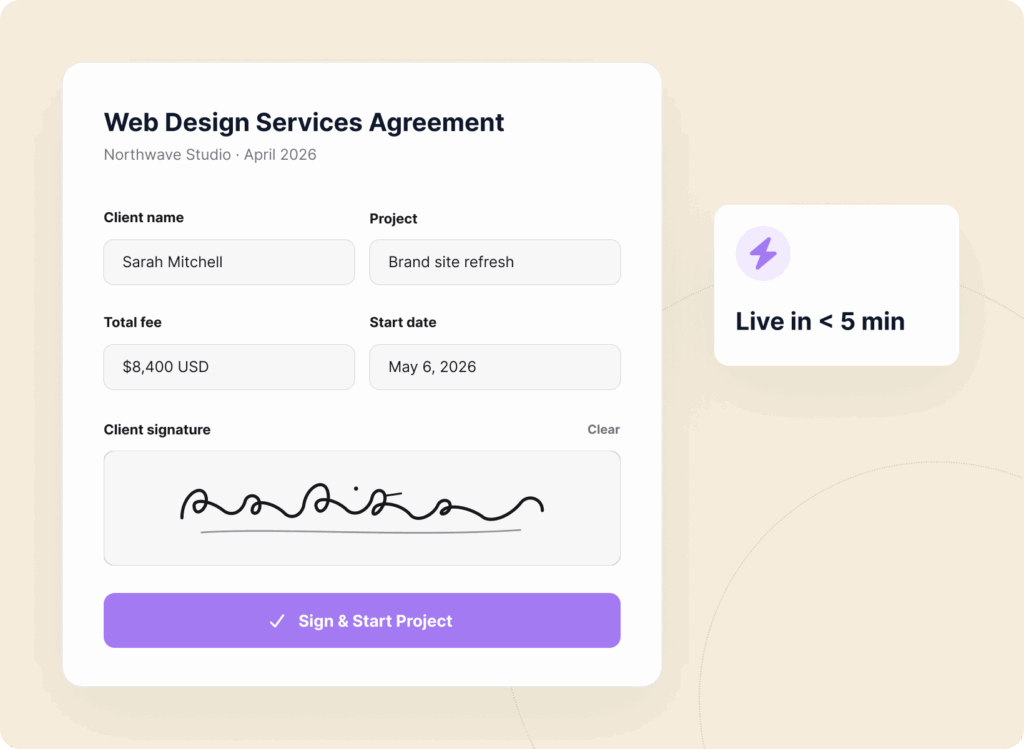
Service Contracts

Send a branded contract, collect the client’s signature, and start the project — all from your WordPress site in under 5 minutes.

Service Contract Signature Example

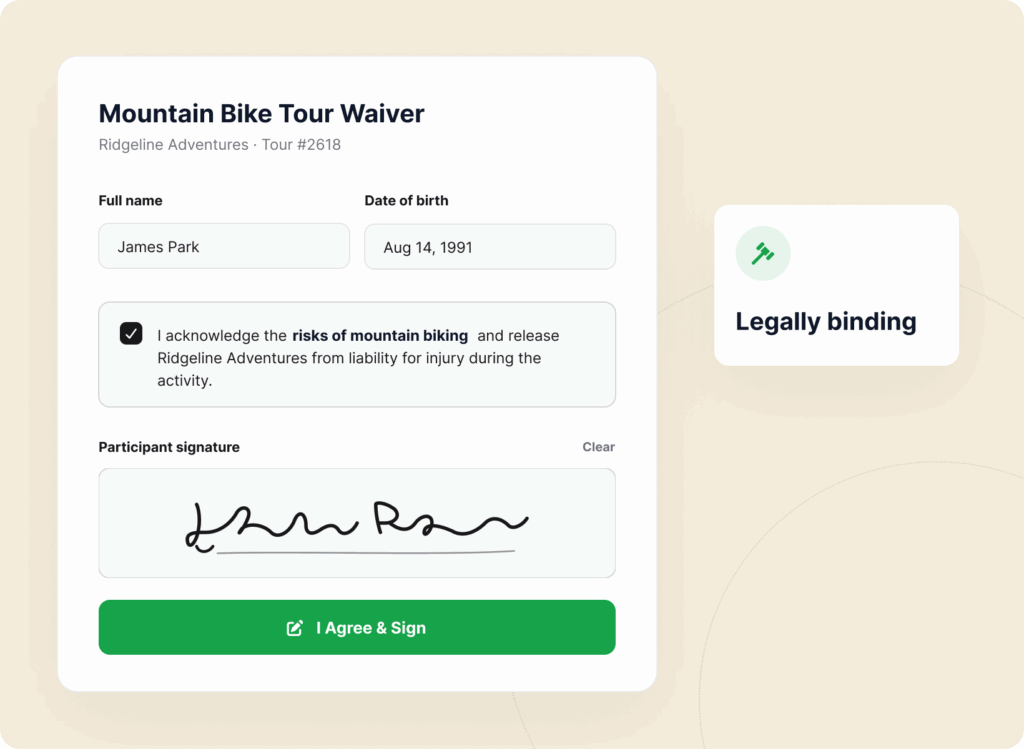
Waivers & Releases

Capture legally-binding waivers for events, fitness classes, tours, and activities before attendees show up.

Waiver Release Form Signature Example

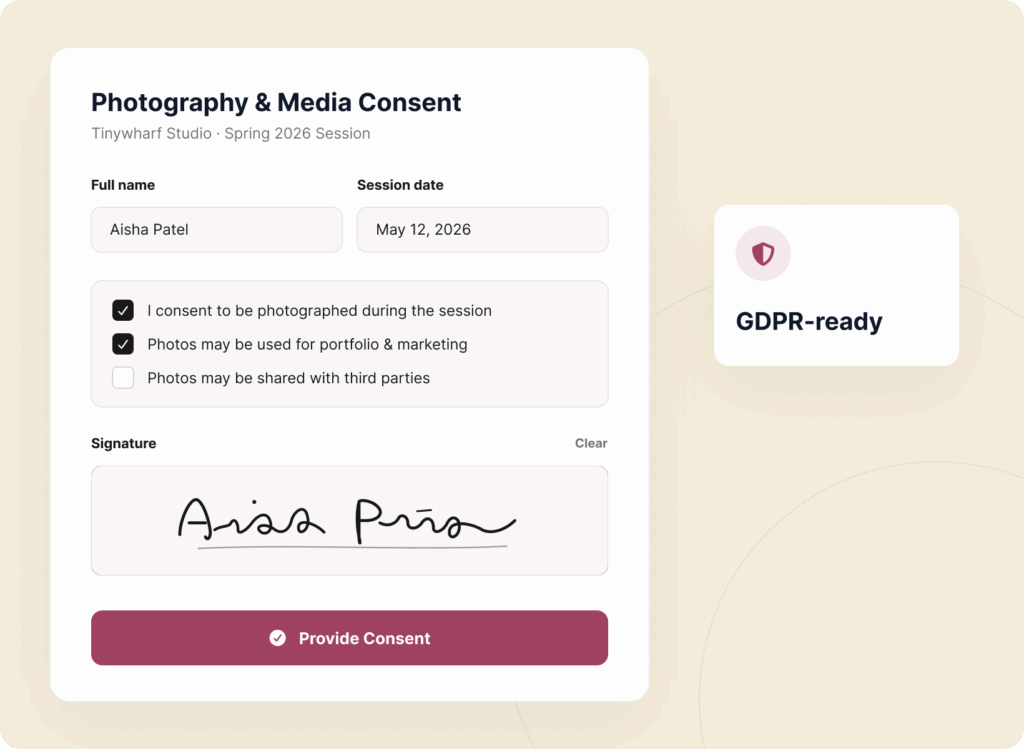
Consent Forms

Medical consent, parental consent, photo releases, research consent — signed, saved, and searchable inside WordPress.

Consent Form with Signature Example

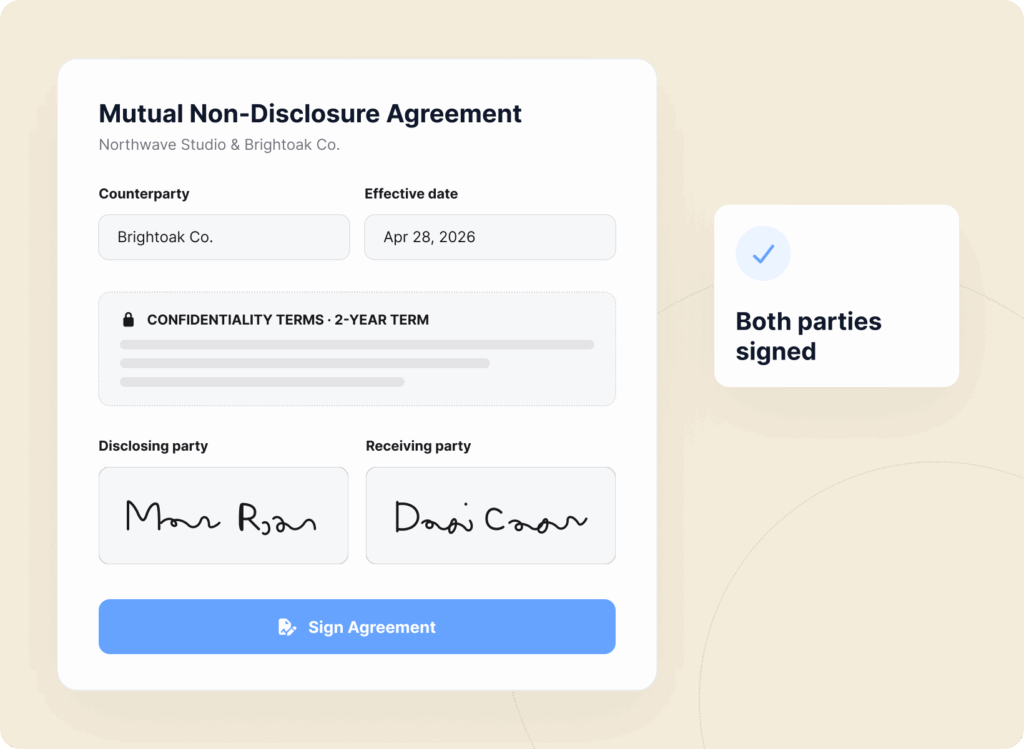
Client Agreements

NDAs, proposals, statements of work, terms of service. Turn any form into a signed document in just a few clicks.

Client Agreements Signature Form Example

Onboarding Forms

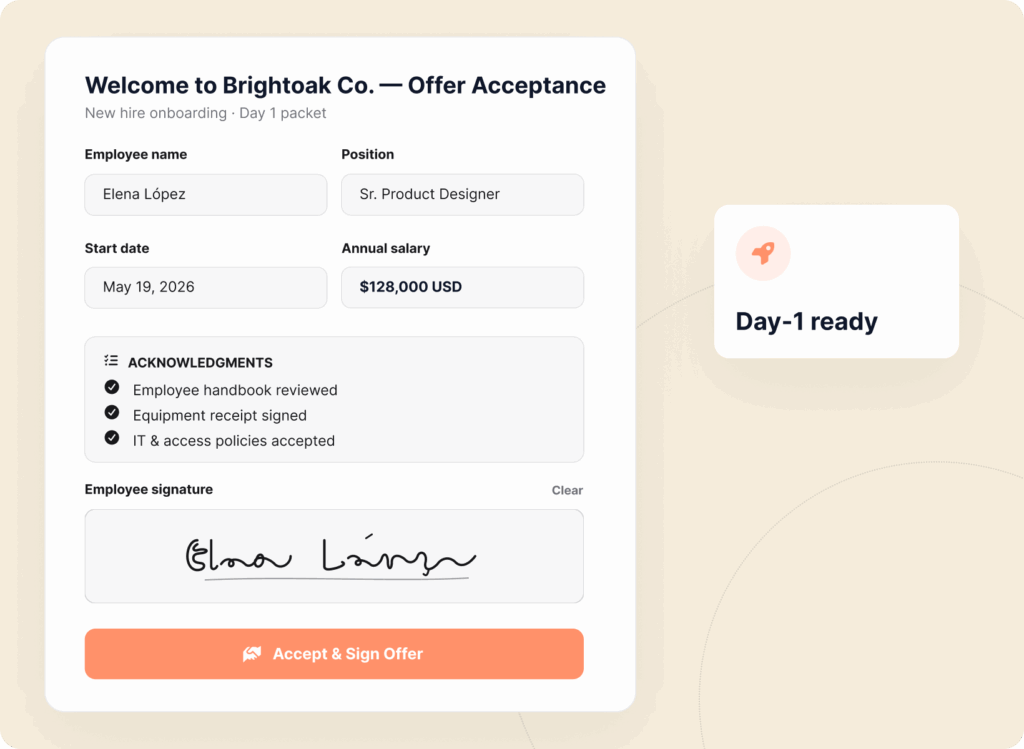
Offer letters, handbook acknowledgments, equipment receipts – collect every signature new hires need on day one.

Onboarding Form with Signature Field Example

Title

Description

Title

Description

Title

Description

Title

Description

Title

Description

Title

Description

Title

Description

Title

Description

Title

Description

Title

Description

Title

Description

Title

Description

Why Over 5 Million Smart Website Owners Trust WPForms

Getting paperwork signed shouldn’t be the slowest part of your business. It should be the fastest.

Flat pricing for Signature Forms (avoid the expensive DocuSign fees)

Stop Paying Per-Signature Fees

Most e-signature tools charge you per form, per user, or per month and the bill grows with your business.

WPForms gives you unlimited signatures on unlimited forms for one flat yearly price. Collect 10 signatures or 10,000. The cost stays the same.

Skip the Print-Sign-Scan Loop

No more “I’ll print it, sign it, scan it, and email it back” delays.

Clients sign the moment they read the terms on their phone, tablet, or computer. What used to take days of back-and-forth now happens in a single click.

Skip the old manual print, sign and scan workflow. Get signatures faster digitally in WordPress
See all signature forms right inside WordPress

Keep Every Signature Inside WordPress

No third-party portals. No separate logins. Every signed form and eSignature lives in your WordPress dashboard alongside the rest of your entries — fully searchable, exportable, and yours forever.

If you ever switch tools, your data stays yours. WPForms signature addon offers full data ownership.

Built for Mobile-First Signing

Over 60% of e-signatures now happen on phones.

The WPForms signature field is built for thumbs. Responsive, high-resolution, and smooth on any screen size. Your clients sign wherever they are, on whatever they’re holding.

Mobile first Signature field in WordPress - Tap to Sign with ease.
Easily add signature to WordPress forms in less than 5 minutes

Set Up eSignatures in Under 5 Minutes

Open the WPForms builder. Drag the Signature field onto your form. Publish. That’s it. No developers. No integrations to configure. No certificate authorities.

If you can build a contact form, you can build a signed contract. The best part is our AI form builder makes it even easier.

Works With Everything You Already Use

Pair signatures with payment fields to collect deposits at signing. Send to Google Drive, Dropbox, HubSpot, Salesforce, or Notion.

Trigger Zapier, Make, or n8n workflows to sync signed agreements to your business tools. One field. Every tool in your stack.

Seamlessly integrate WPForms signature forms with your workflow tools
View all

The Best WordPress Form Builder Plugin

Join the 6 million+ professionals who use WPForms to capture signatures, close contracts, and turn forms into signed agreements.

Elevate Your Forms with 2,100+

Ready-Made Templates

  • Liability Waiver Form
  • Parental Consent Form
  • Lease Agreement Form
  • Photo Release Form
  • Employee Waiver Form
  • Medical Consent Form
  • Volunteer Agreement Form
  • Fitness Class Waiver
  • Lab Safety Agreement
  • Child Travel Consent
  • Model Release Form
  • Photography Contract
  • Consent to Treat Form
  • Credit Card Authorization
  • Social Media Release
  • Rental Agreement

Before You Buy, Give It A Try

Take the plugin for a free spin.
No installation, no credit card, no strings attached.

Frequently Asked Questions and Resources

Do you have a question about WPForms Digital Signatures? See the list below for our most frequently asked questions. If your question is not listed here, please contact us.

How do WPForms Digital Signatures work?

WPForms Digital Signatures work by adding a drag-and-drop Signature field to any form in your WordPress dashboard. Visitors sign with a finger, mouse, or stylus, and the eSignature saves as a transparent PNG with the form entry. No third-party portals and no coding required. See the WPForms Signature addon setup guide.

Are digital signatures from WPForms legally binding?

Yes, WPForms Digital Signatures are legally binding in most countries, including the US under the E-SIGN Act and the EU under eIDAS, as long as the signer’s intent is clear and the signed document is stored intact. Always confirm your specific jurisdiction and industry requirements with a legal professional.

Do WPForms Digital Signatures work on phones and tablets?

Yes, WPForms Digital Signatures are built mobile-first — users sign with a finger, a stylus, or a mouse on any device. The field is responsive by default and captures a high-resolution signature even on smaller screens.

Which pricing tier unlocks the Signatures addon?

The Signatures addon is included at the Pro tier and above. Pro covers up to 5 sites with unlimited forms, unlimited submissions, and unlimited eSignatures.

Can I collect a signature and a payment on the same form?

Yes, WPForms lets you combine a Signature field with Stripe, PayPal, Square, or Authorize.Net in a single payment form, so clients agree to the terms and pay the deposit in one submission. Perfect for signed proposals, booking deposits, and retainer agreements.

Can I require a signature before the form can be submitted?

Yes, you can mark the Signature field as required, so the form won’t submit without it. You can also use Conditional Logic to show or hide the signature field based on other answers, so it only appears when a signature is actually needed.

Do I need a developer to set up digital signatures in WordPress?

No, setting up WPForms Digital Signatures requires no code. Install the WPForms plugin, activate the Signatures addon, and drag the Signature field onto a form. Most users ship a signed-contract form in under 5 minutes.

What about GDPR and privacy compliance?

WPForms Digital Signatures pair with the built-in GDPR Agreement field and cookie-consent tools so you can collect a signature and explicit consent at the same time.

Even More Powerful Features

Ready for more? Check out some of our other features to take your forms to the next level!

Save and Resume

Let users save their progress and finish later, ensuring a seamless experience and valuable data collection.

  • Flexible saving options
  • Partial entry management
  • Customizable messages
  • Privacy focused

Drag and Drop Form Builder

Within minutes, easily create contact forms, online surveys, donation forms, and more.

  • AI-powered form builder
  • 2,100+ WordPress form templates
  • Responsive design
  • Advanced reporting

Surveys and Polls

Increase engagement and collect valuable feedback from your site visitors.

  • Real-time insight and reports
  • Smart survey fields
  • Real-time polls
  • Conditional logic
🔔 Subscribe to get our latest updates
📧 Subscribe to Emails

Email Subscription

Join our Newsletter

We won’t spam you. We only send an email when we think it will genuinely help you. Unsubscribe at any time!
New Feature

WPForms Dashboard

Dark blue hero with a circular bear logo on the left, large headline'Introducing the New WPForms Dashboard' and an ANNOUNCEMENT badge; a dashboard mockup is visible on the right.

The WPForms Dashboard is a new home screen that opens the moment you click WPForms in your admin menu. Stat cards across the top total up your forms, entries, payments, views, and spam across the whole site.

An Entries widget charts activity over your chosen date range with a per-form table of entries, views, interactions, and conversion rate, and a payments widget totals everything collected once a gateway is connected.

With the Geolocation addon active, Top Locations ranks the countries your visitors come from, and a Suggested Next Steps panel points to features worth turning on.

Nothing to install, as it comes with every plan, including Lite!

New Feature

WPForms QR Code

Announcement banner: dark blue background with headline'Say Hello to WPForms QR Code: One Scan Opens Your Form' and a large QR code on the right.

Every form now has its own built-in QR code generator, with nothing extra to install or buy.

Open a form’s General settings, choose the page the form lives on or paste its URL, and click Generate QR Code to copy it or download it as a PNG or a print-ready SVG.

Put it on menus, packaging, event badges, or business cards, and every scan opens your form instead of a page that only hands people something to read.

Included with every plan, including Lite; Pro and Elite plans can keep, remove, or replace the WPForms logo in the center with their own.

New Feature

Ranking Field for Surveys & Polls

Announcement hero: dark blue background, bear avatar left, large'Introducing the New WPForms Ranking Field' text, and three stacked white option cards with 'Movies' highlighted.

The Surveys & Polls addon gains a Ranking field!

Instead of scoring each option separately, respondents drag options (or tap arrow buttons on a phone) into the order they prefer, so one option always has to come first.

WPForms tallies every response into a “Times at #1” count and an average rank for each option, with a chart that makes the winner obvious.

Lay options out as a vertical list or a grid, and use Image Choices or Icon Choices in place of plain text labels.

Integration New Feature Payments

Mercado Pago Addon

Introducing the WPForms Mercado Pago Addon: Card Payments Built for Latin America

The Mercado Pago addon brings on-page card payments built for Latin America to your forms.

Buyers enter their card details into secure, Mercado Pago-hosted fields inside the form, choose an installment plan, and pay in ARS, BRL, CLP, COP, MXN, PEN, or UYU without leaving your page.

An approved charge fires your confirmation, notifications, and integrations at the moment money actually moves, and full or partial refunds can be issued from WPForms » Payments.

WPForms takes no transaction fee, and it works with Quantities, Coupons, multi-page forms, Conversational Forms, Lead Forms, and Form Pages.

AI New Feature

WPForms Analytics

Dark blue hero with a bear avatar left, large WPForms v2.0 headline and a form analytics screenshot on the right.

WPForms 2.0 adds a complete form performance tracking suite inside your WordPress dashboard.

The All Forms page now shows Views, Entries, and Conversion Rate for every form, and each form gets its own analytics dashboard with views, interactions, conversion rate, abandonments, and errors over the last 7, 30, or 90 days or a custom range.

A field-by-field table shows interactions, time spent, errors, and abandonment for every field, so you can see exactly where people give up, and you can set a conversion goal to track progress.

There’s also a built-in AI chat reads your form data and tells you what is working, what is hurting conversions, and what to fix first.